Make AI expectations clear for every assignment.
Traffic Lite puts clear, color-coded AI usage guidance directly into Google Classroom—so students always know when and how they can use AI.
Install Traffic Lite later
Traffic Lite works with Google Classroom in Chrome on your computer. Save the link now so it's ready when you're back at your desk.
One platform. Built for teachers and school leaders.
Free for individual teachers. Powerful governance and AI-forward teaching support for schools and districts.
Make AI expectations clear–directly at the point of learning.
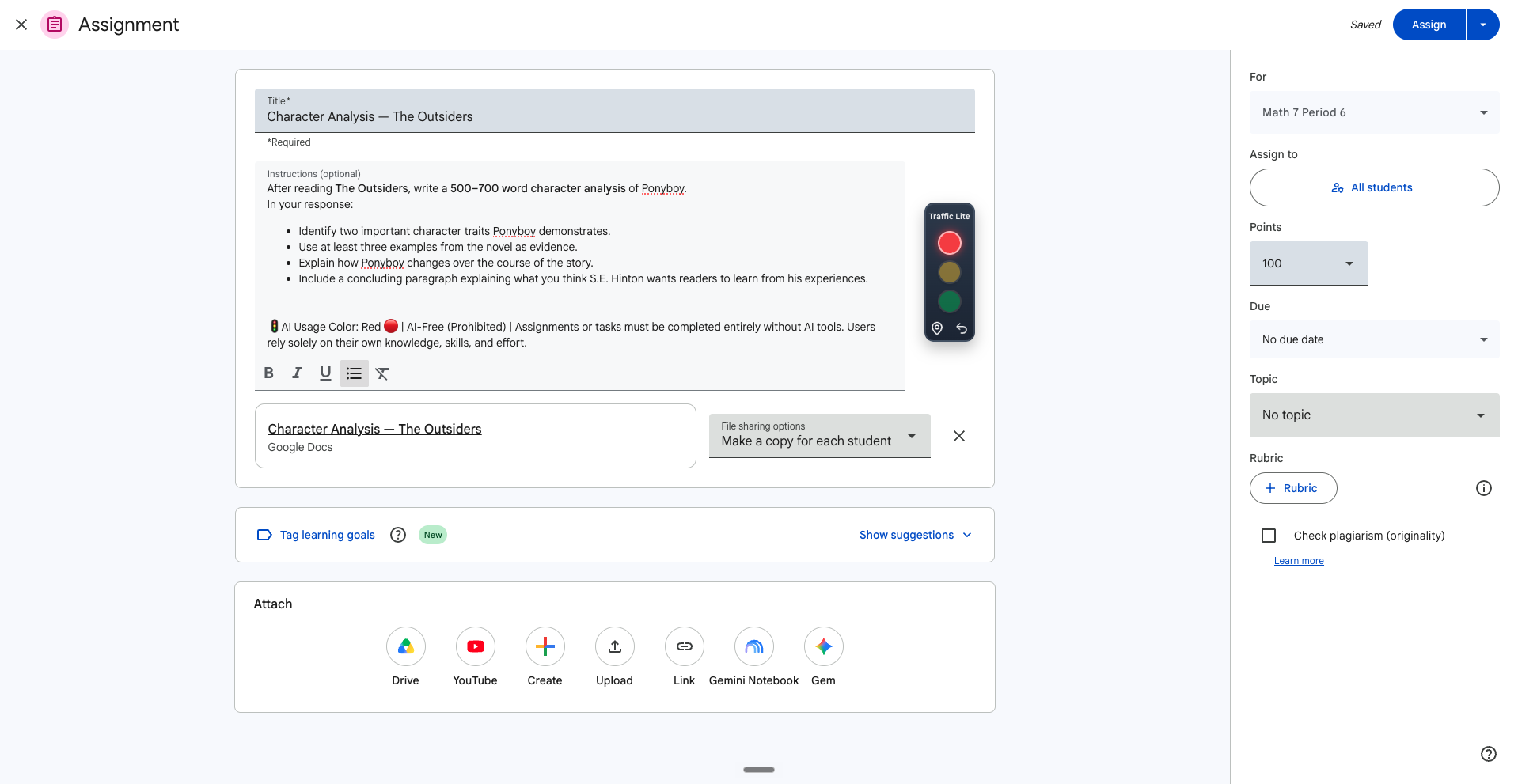
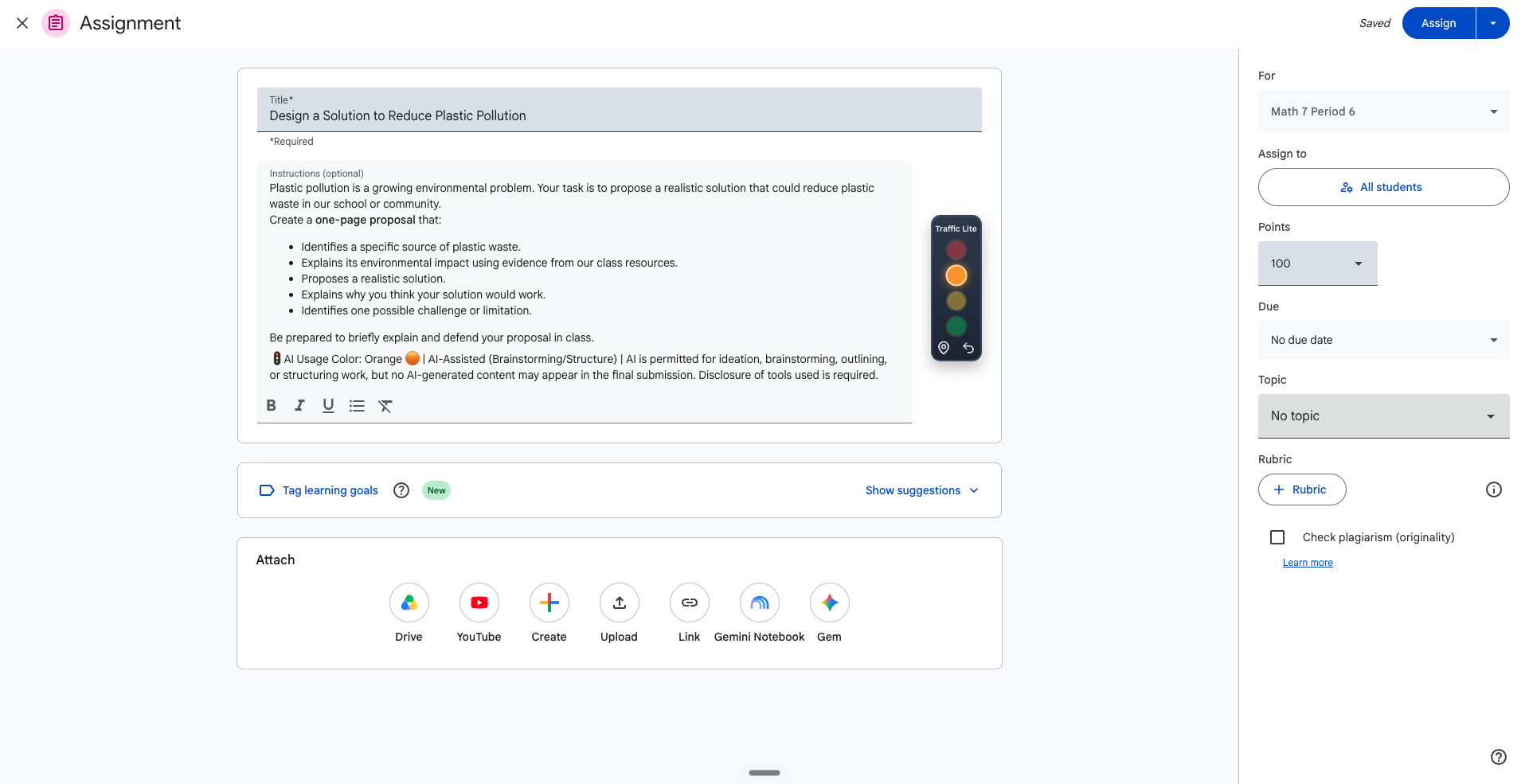
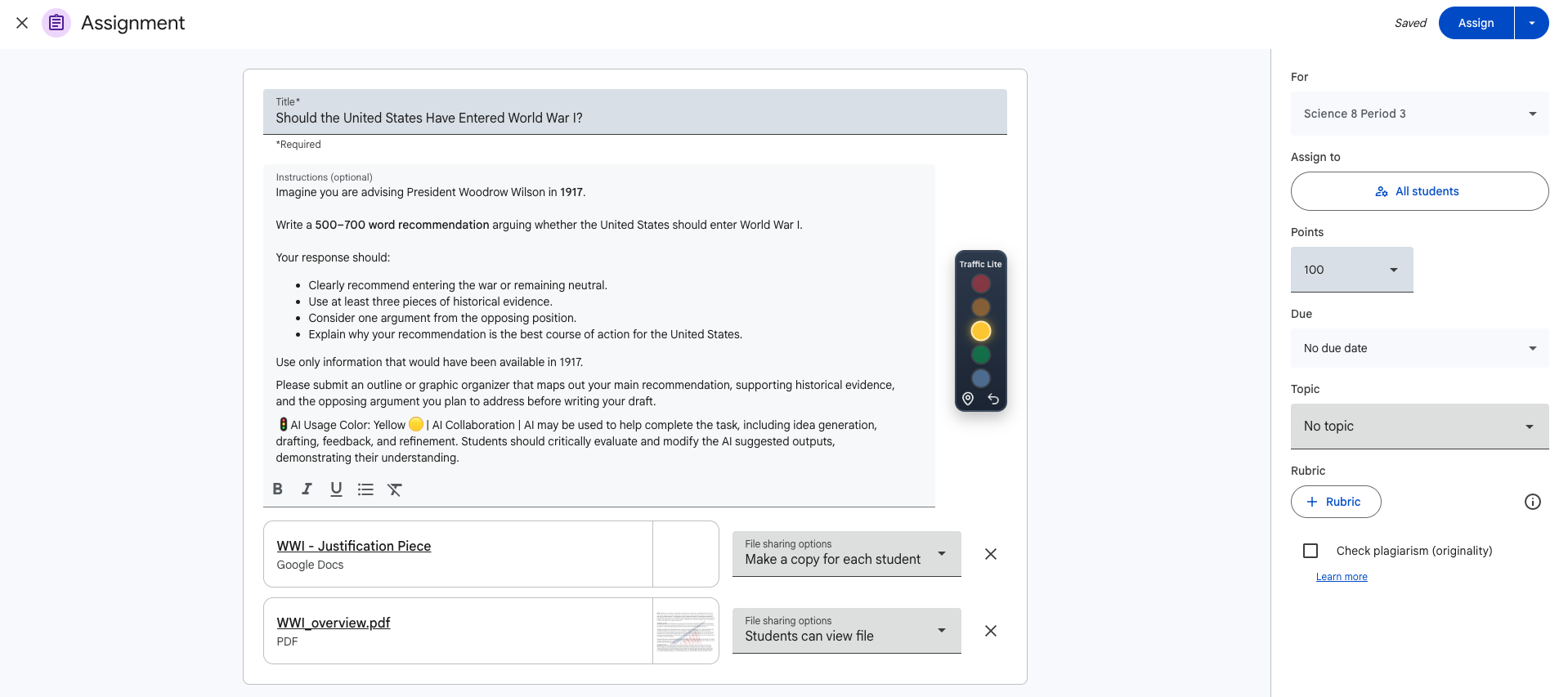
Give students clear guidance directly inside the Google Classroom assignment workflow.
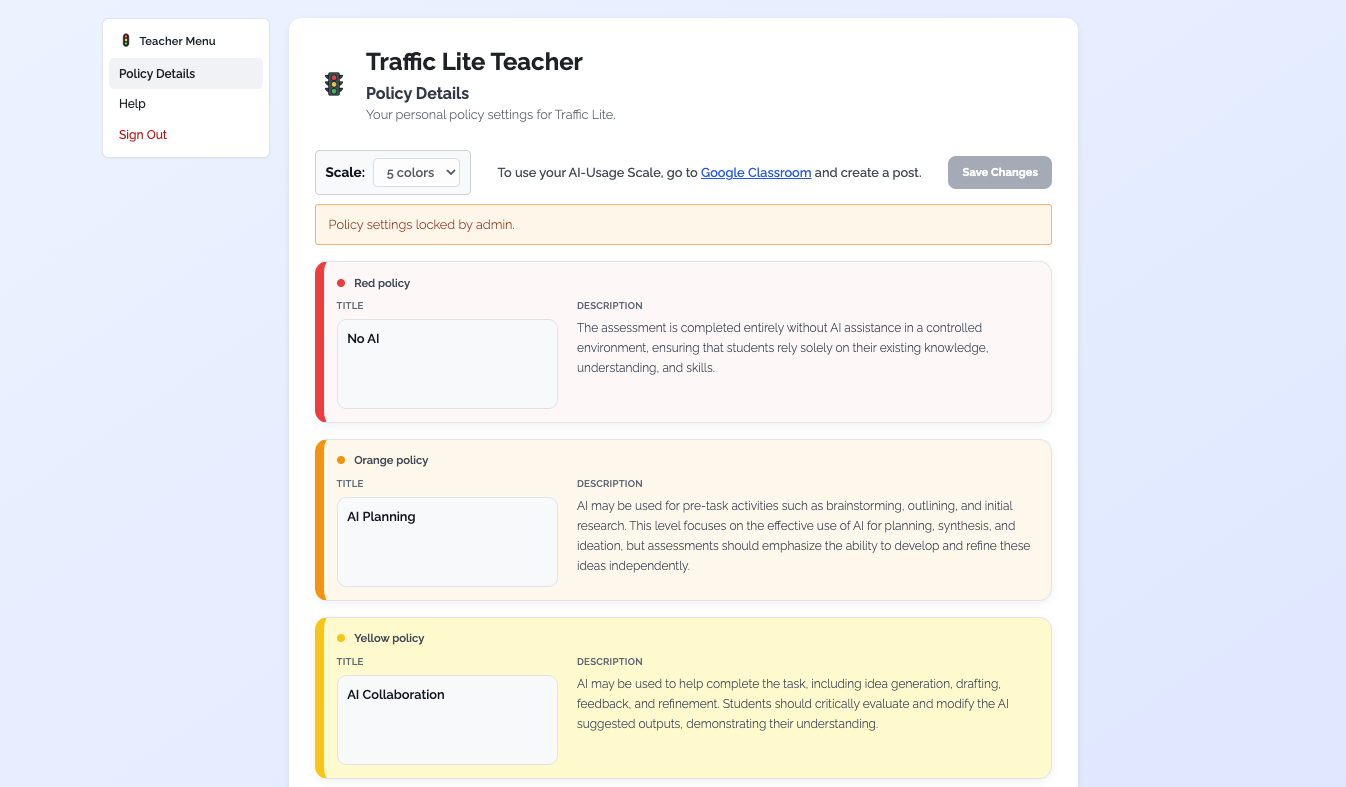
- ✓ Create a customizable AI-usage policy for your classroom.
- ✓ Choose from 2-, 3-, 4-, or 5-color scales.
- ✓ Add clear AI expectations directly to Google Classroom assignments, quiz assignments, questions, and material posts.
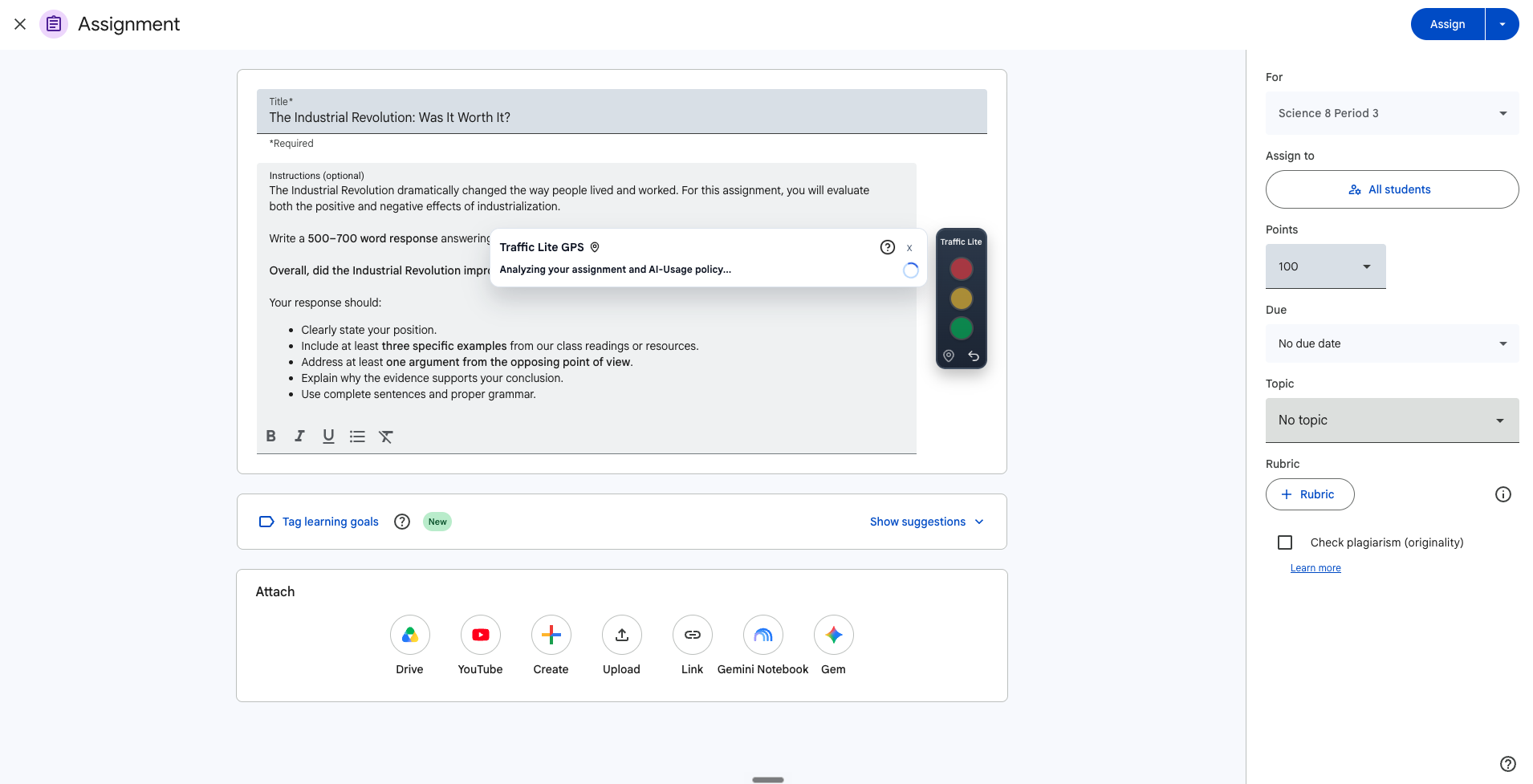
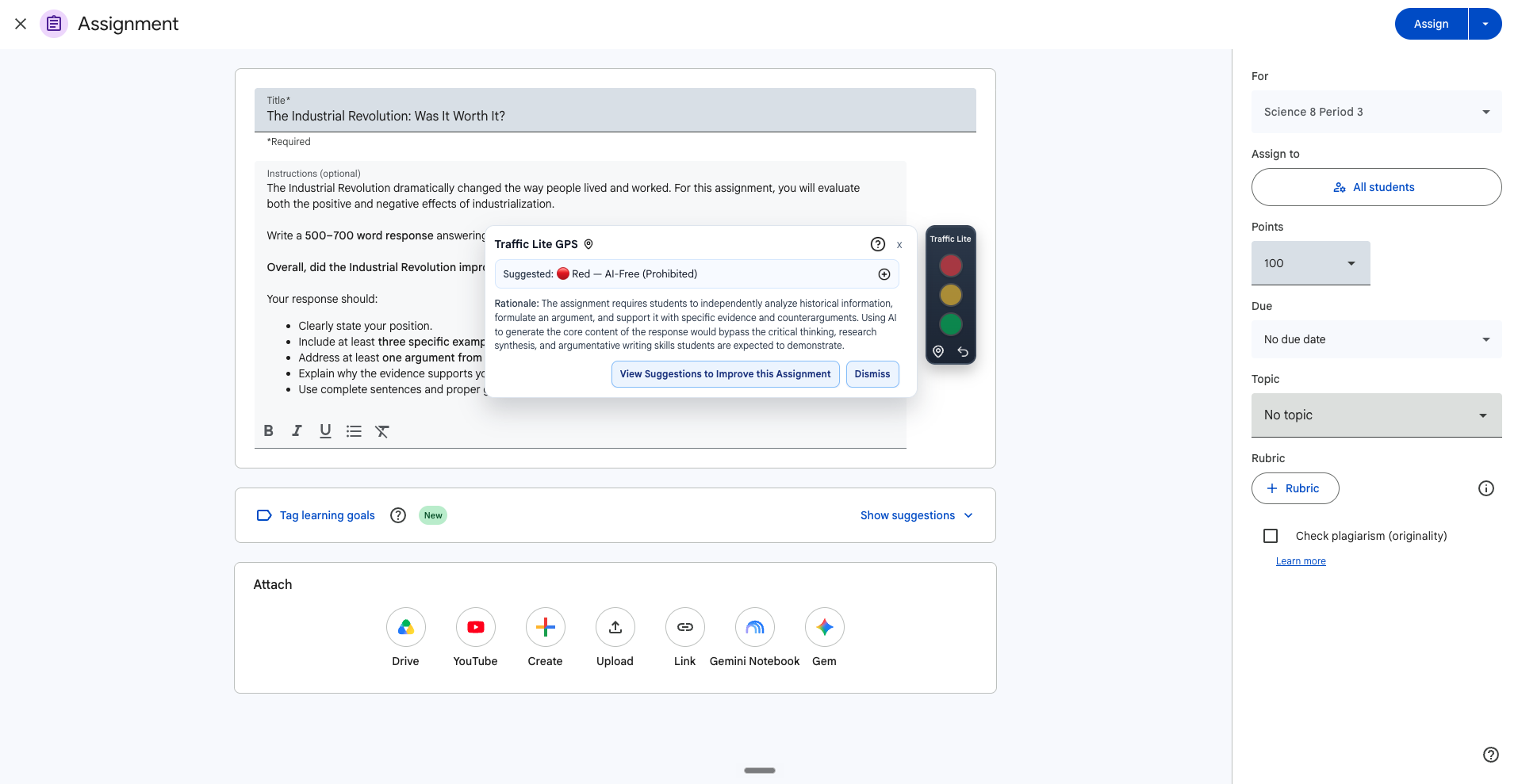
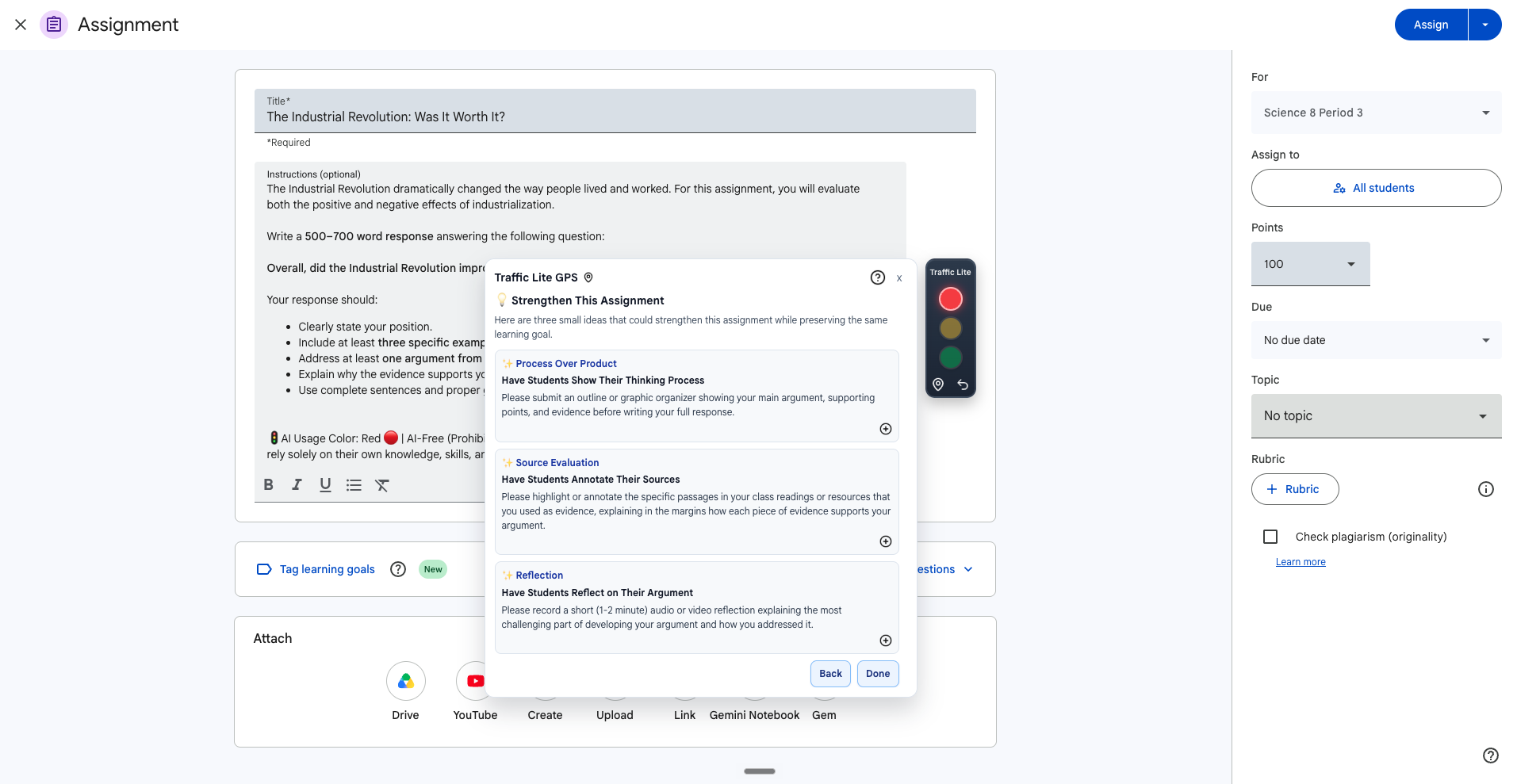
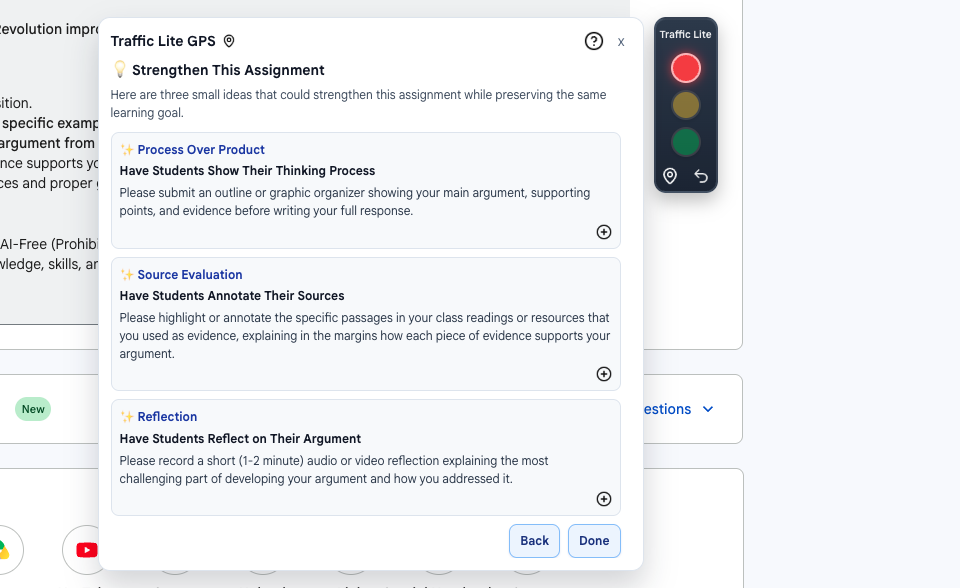
- ✓ Use Traffic Lite GPS to review assignment drafts, identify learning goals, and recommend an aligned AI-usage color.
Turn classroom-by-classroom guidance into a consistent AI strategy.
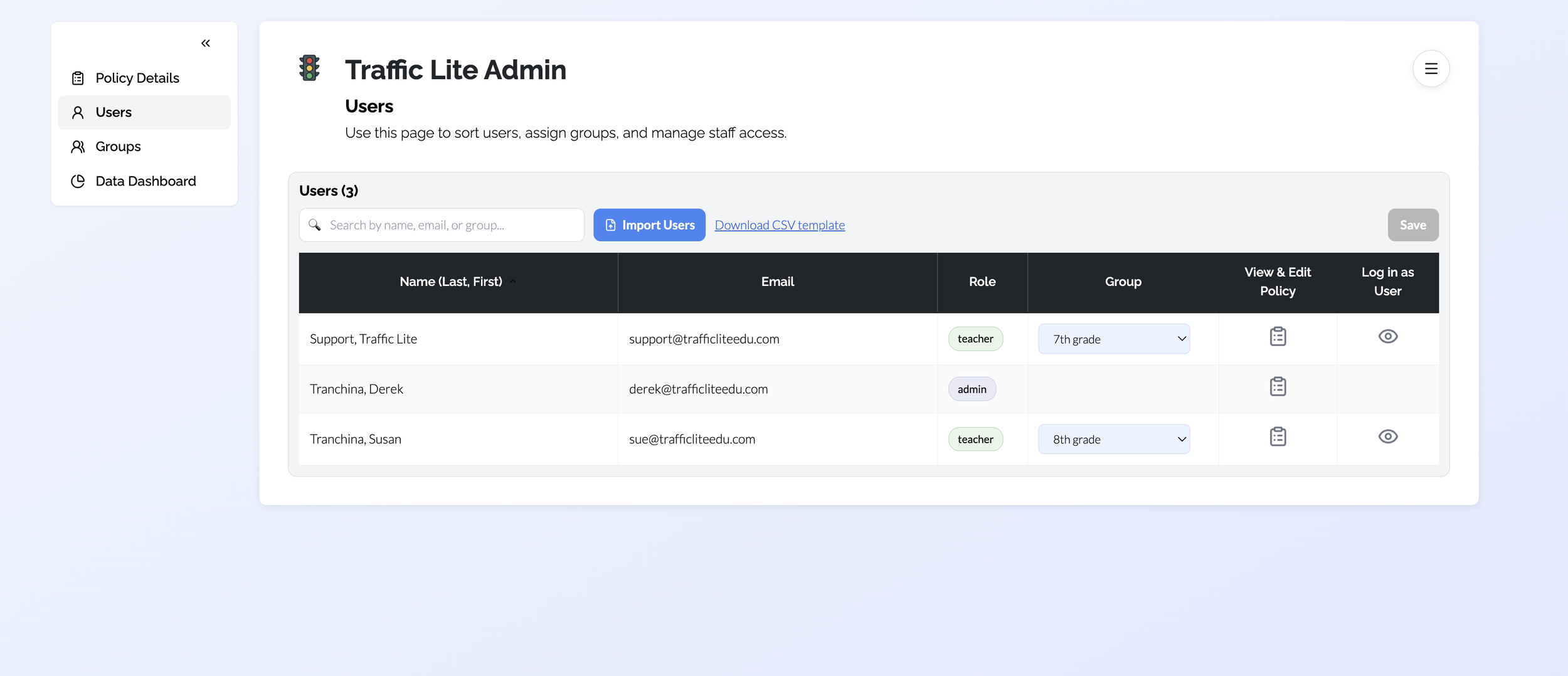
Give school leaders centralized control while still supporting thoughtful teacher practice.
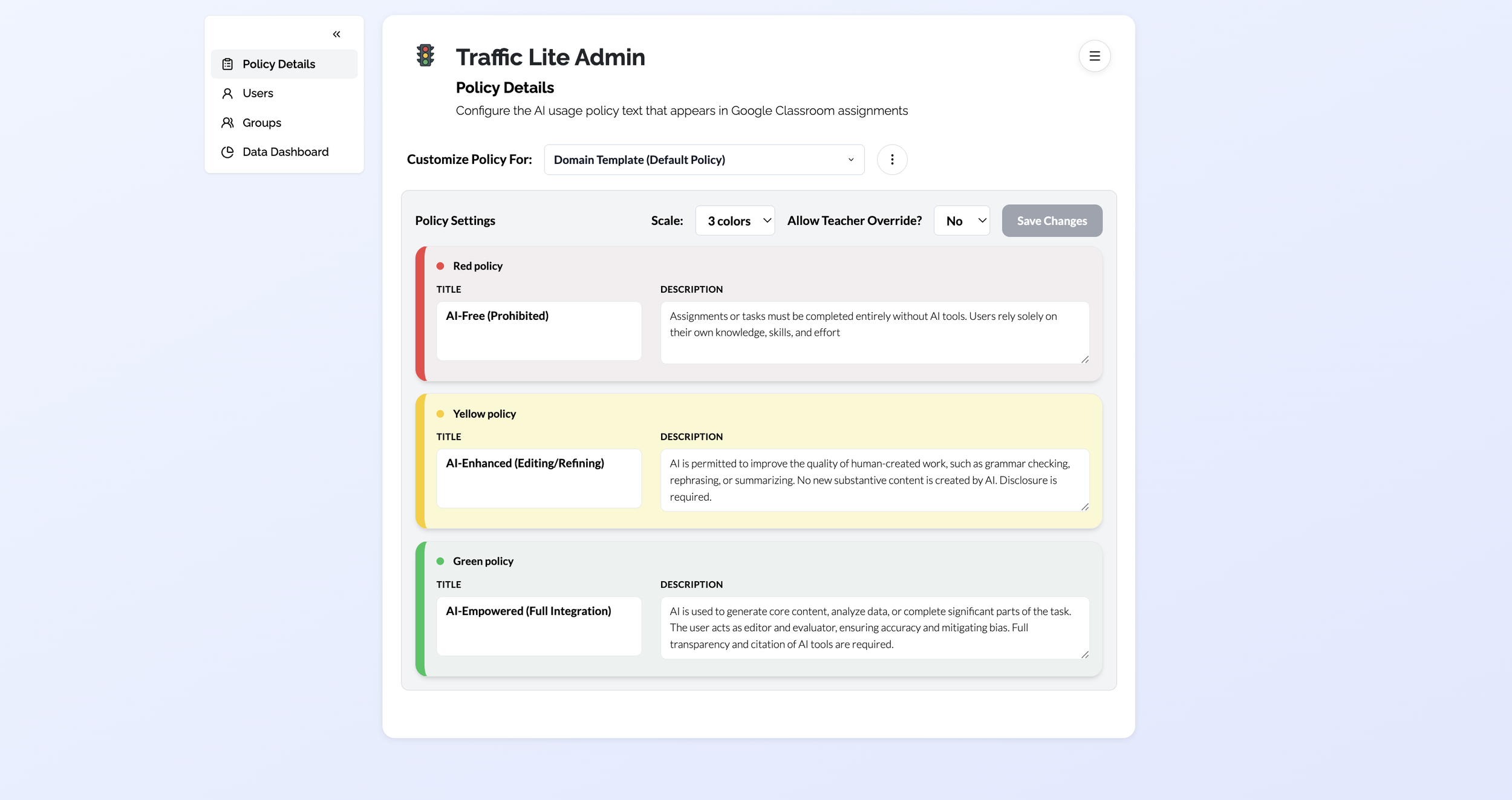
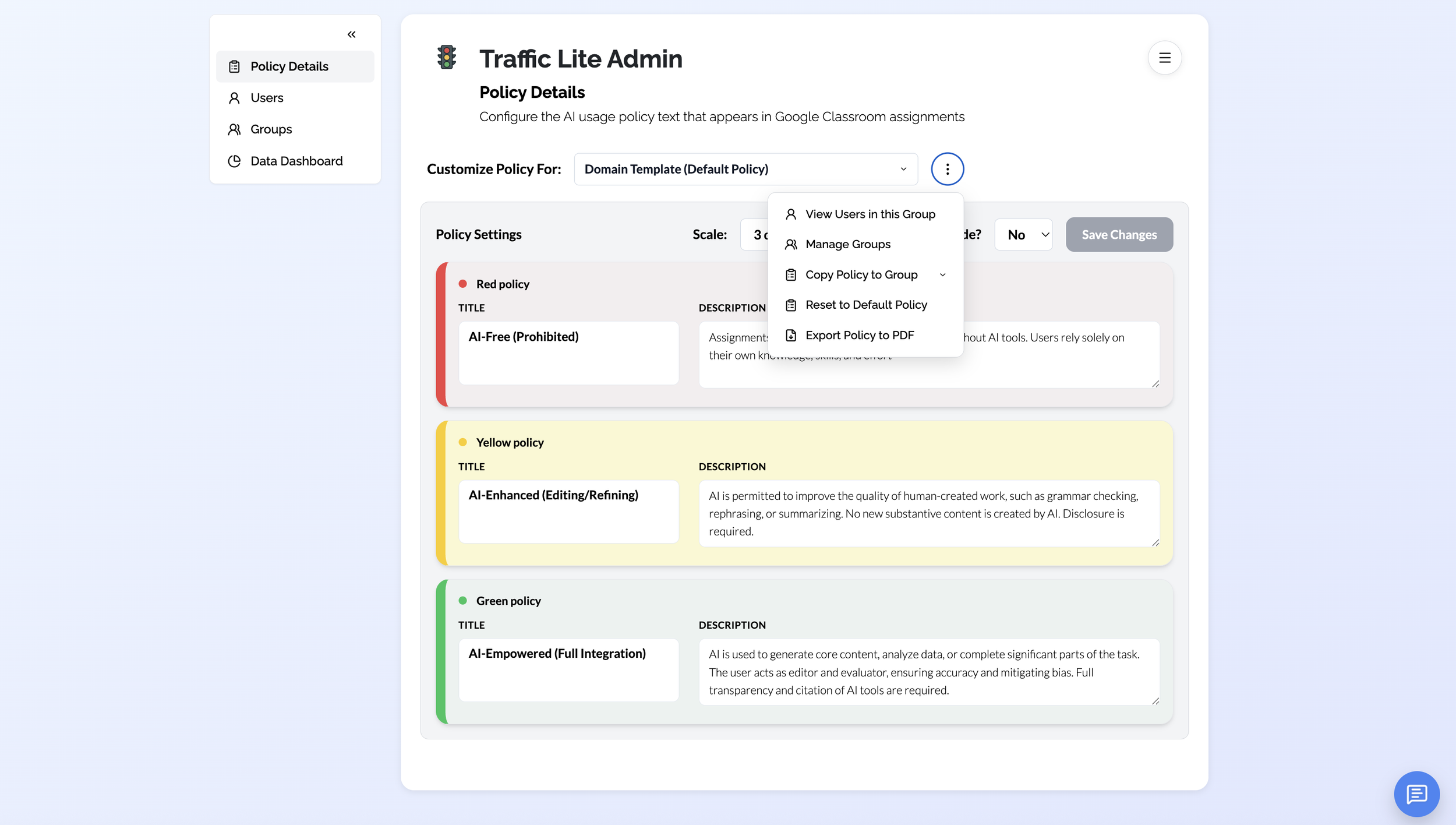
- ✓ Manage AI-usage policies across your school or district.
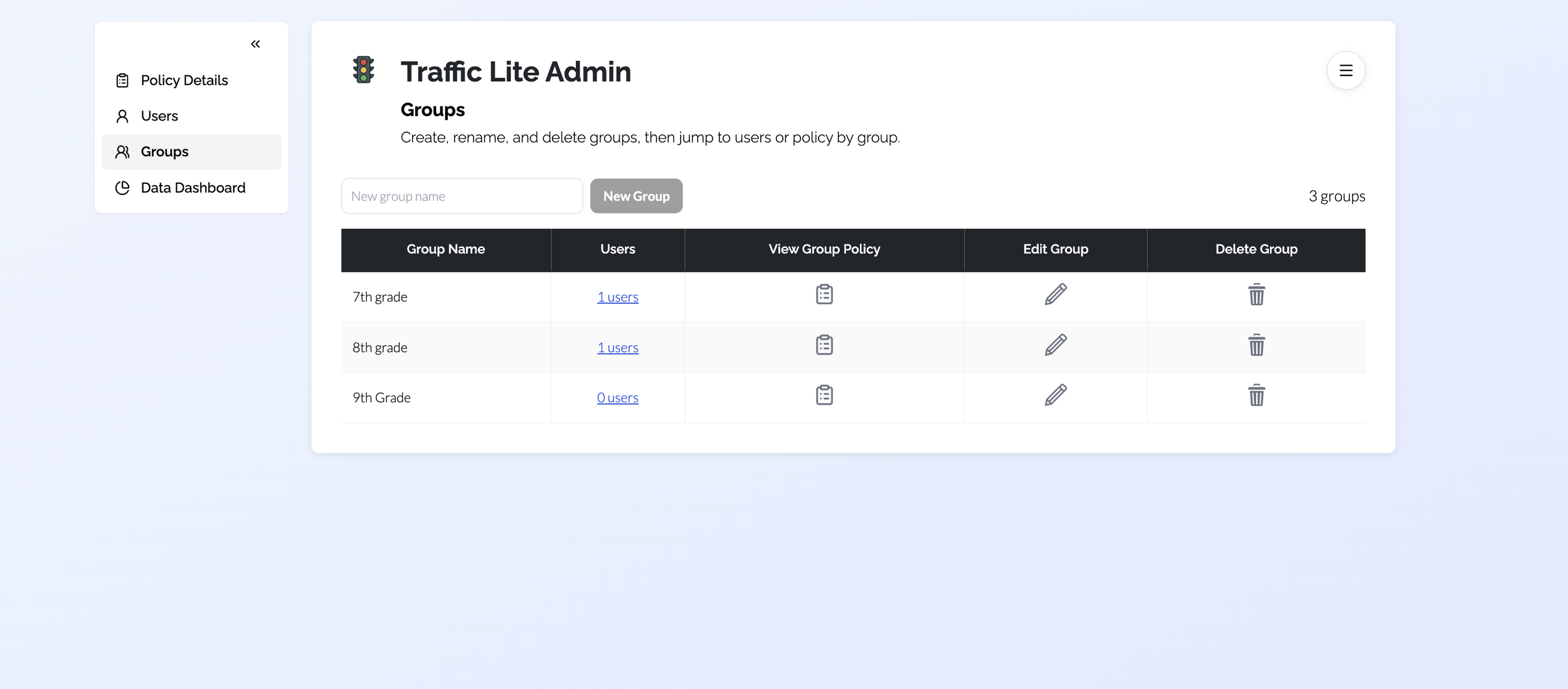
- ✓ Create custom groups and policies for schools, departments, or grade levels, or sync users and groups with your Google Admin Console.
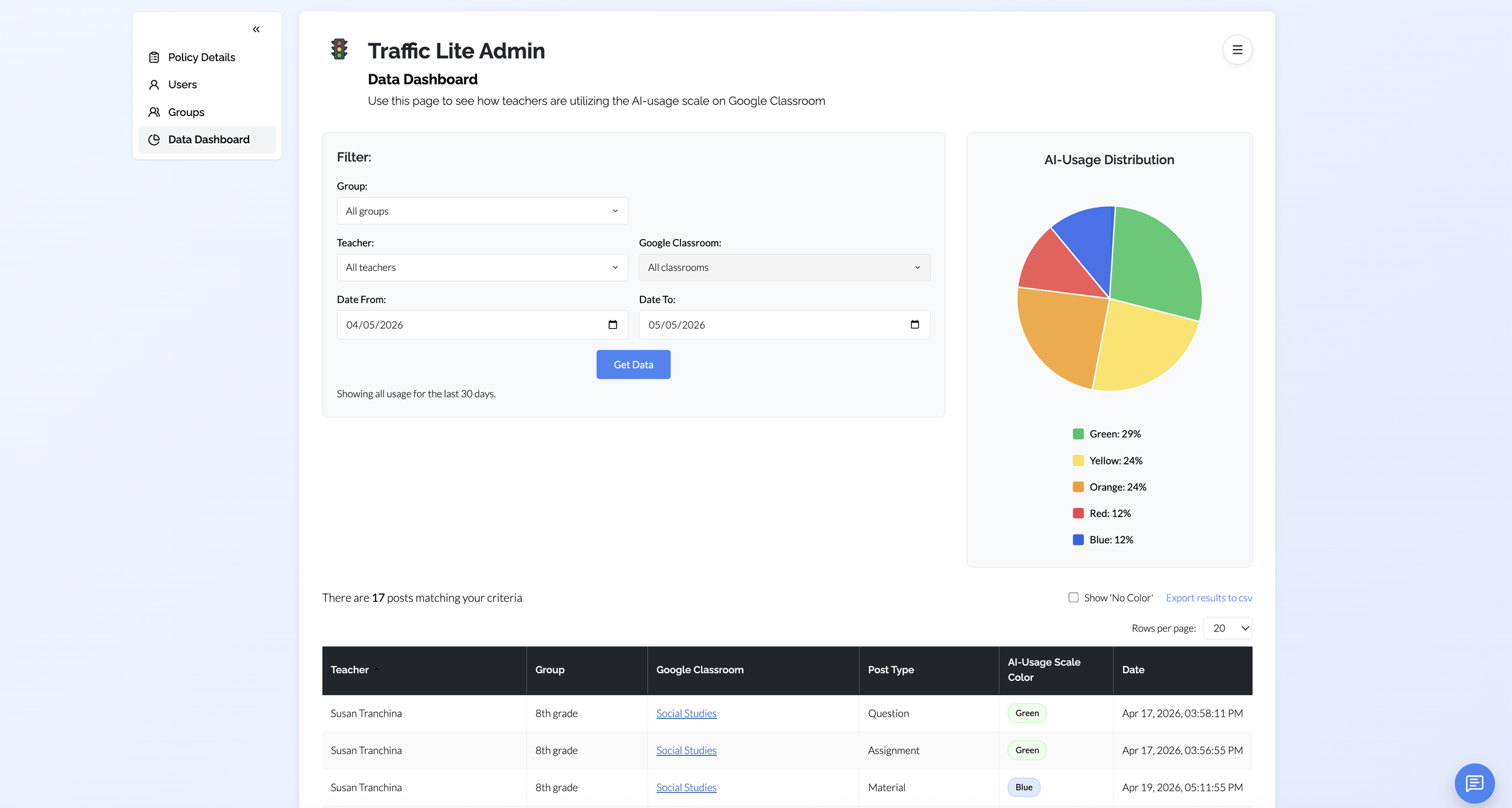
- ✓ Gain visibility into how AI policies are being used across Google Classroom.
- ✓ Give teachers access to Traffic Lite GPS Premium, which suggests AI-forward strategies for improving assignment design.
Watch the Video:
Stay in the loop.
Get occasional Traffic Lite updates, new features, and thoughts on teaching and learning in an AI-powered world.
Subscribe to the Traffic Lite Insider →